内容概要
A dedicated Fairino teach pendant is an option, not a universal prerequisite for viewing the teaching interface: FAIRINO also describes access from a PC or tablet. Choose the complete operating arrangement around teaching tasks, approved motion controls, visibility and recovery. A browser display by itself does not establish the cell's safety functions.
Separate the display from the operating controls
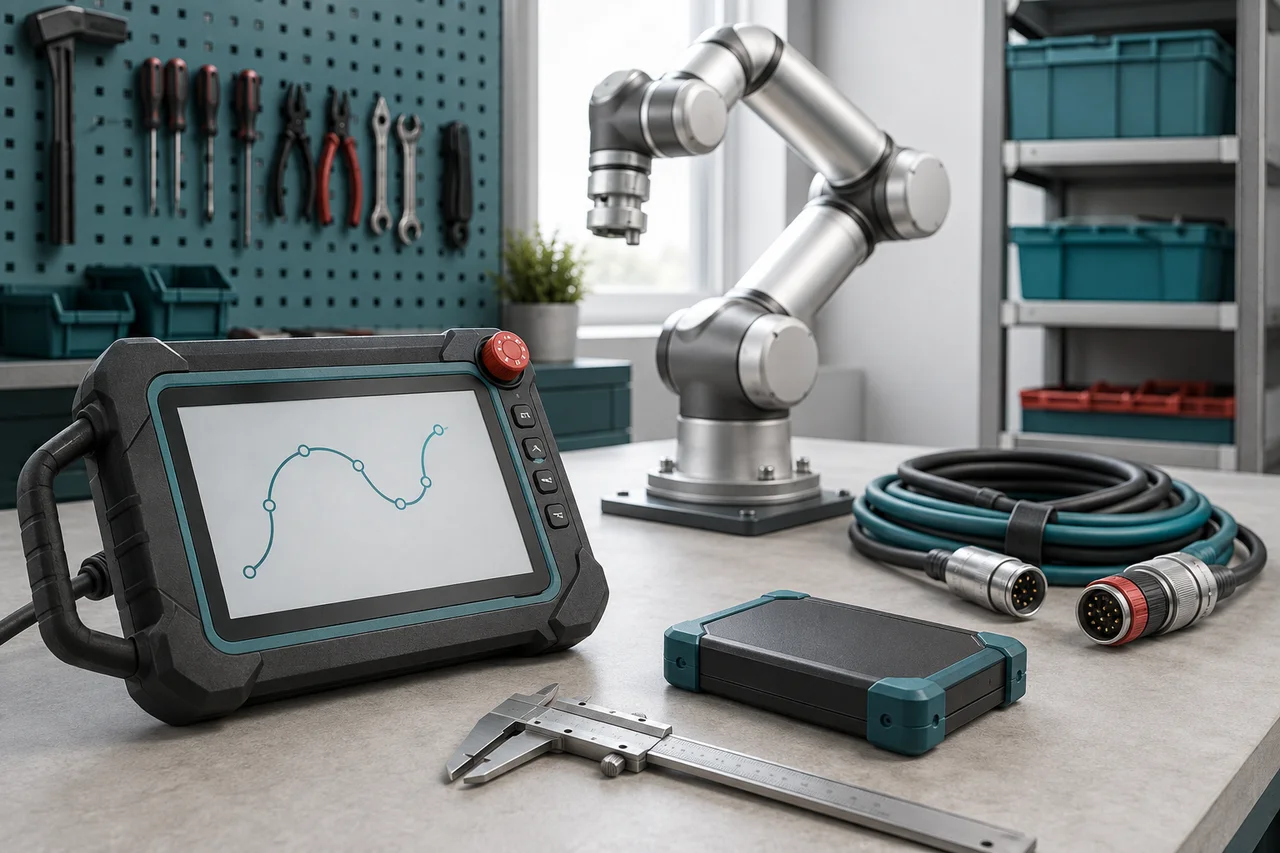
The phrase teach pendant can mean a physical handheld unit or the teaching software it displays. FAIRINO's official FAQ says a PC or tablet can access the interface and describes the dedicated pendant as optional. Its software manual describes browser access and program, position and I/O displays. Those statements establish interface choices; they do not promise identical physical controls or approve every consumer device for workshop use.
Ask the supplier to draw the proposed arrangement: display, controller, supplied button box, network connection and any additional operating controls. Label which component performs each task and which items are optional. The practical question is whether the complete arrangement supports the assessed operating procedure. Buying a screen without the necessary controls, mount or cable route can leave the team unable to teach from a useful location.
参考资料: FAIRINO official FAQ: optional teach pendant and PC or tablet access · FAIRINO User Manual 3.9.9: Teaching pendant software · FAIRINO User Manual 3.9.9: Foreword and installation assessment
Match each option to the work people do
List the activities separately: initial setup, frequent point teaching, recipe selection, fault review and occasional program editing. Record where the person needs to stand, whether both hands are occupied and whether the screen must move with them. A shared engineering laptop may suit occasional editing yet be unavailable when an operator needs information during a production interruption.
Use this comparison as a shortlist for a demonstration. The benefits are conditional on the supplied configuration and your workplace, not manufacturer performance claims. Ask for a trial using your normal language, lighting, gloves where relevant and representative programs. Measure whether users complete their intended tasks accurately without repeatedly changing position or borrowing equipment from another job. Include the person who handles evening-shift faults, not only the engineer who teaches new parts.
| Arrangement | Potential fit | Question to resolve |
|---|---|---|
| Dedicated physical pendant | Frequent teaching around fixtures | Can the operator see the task while using approved controls? |
| PC with teaching interface | Program editing and detailed diagnostics | Which separate controls and secure mounting are needed? |
| Tablet with teaching interface | Portable viewing and occasional interaction | Is this exact device and connection supported for the task? |
| Task handle or button box | Repeated local actions | Which functions remain dependent on a full interface? |
参考资料: FAIRINO official FAQ: optional teach pendant and PC or tablet access
Identify the physical hardware in the offer
Request the pendant's exact product identifier, supported controller variants, software requirements and included connection equipment. Obtain a drawing or clear supplier specification for its buttons, connector, cable length, mounting and environmental suitability. Do not borrow dimensions or protection ratings from an undated accessory photograph. Ask whether the quoted unit is new, supplied with the robot or added by the reseller, and who handles its repair.
The live manual labelled 3.9.9 has a separate physical-pendant chapter covering activation, language settings and key customisation. That is useful evidence that the pendant has its own configuration considerations. Have the supplier demonstrate the ordered unit against the delivered baseline, including the intended key assignments. Put labels and a controlled assignment record in the handover so a replacement unit does not silently introduce unfamiliar behaviour.
Try the interface from real teaching positions
Hypothetical example: an engineer edits a pallet routine at a desk, but teaches pickup positions on the far side of a fixture. The laptop works well for editing and poorly for viewing those positions. A pendant could improve that task if its cable routing and approved controls permit a suitable stance. Alternatively, moving the supported display station may solve the access problem with less equipment.
Compare both proposals in the planned layout before deciding. Include places where the screen must be put down, where cables cross a walking route and where fixtures obscure the tool. Record mistakes and assistance needed during a supervised task. No duration or ergonomic limit is assumed here: the evidence is whether the intended users can perform the defined work comfortably and accurately within the integrator's controlled procedure. A small screen advantage cannot compensate for an unusable operating position.
Define what a welding handle replaces
For a welding offer, distinguish the full teaching display from an end-mounted task handle. FAIRINO's Peripherals chapter describes welding-handle adaptation, and release notes show that SmartTool behaviour changes with software revisions. Request an exact task list for the quoted handle, its firmware and controller version. A seller's claim that teaching is simple should translate into a witnessed sequence on your representative joint.
Ask which operations still require the screen: inspecting a generated program, correcting a recorded point, changing a process selection or understanding an error may involve different interfaces. Keep the handle demonstration separate from approval of the weld itself. Record the programmed meaning of each control and how users recognise the current state. The relevant saving is reduced effort in the intended workflow, not an unsupported promise that a handle removes all programming or process knowledge.
参考资料: FAIRINO User Manual 3.9.9: Welding-handle peripherals · FAIRINO version introduction: SmartTool revision notes
Plan for display loss and replacement
Define the operational response if the usual screen freezes, its connection fails or the device is unavailable. Ask the integrator to explain what the robot and process do in each reviewed condition and how an authorised person obtains reliable state information. Closing a browser, losing a network connection and activating an emergency stop are different events; the assessed design must determine the appropriate behaviour.
Agree a replacement route with supported hardware, configuration records and trained ownership. The physical-pendant manual includes network recovery functions, but those are version-dependent service procedures, not a reason to experiment with resets on a working cell. Require a supported recovery instruction for your arrangement and a suitable supervised rehearsal where justified. Include access to diagnostic records when the normal display is missing, so troubleshooting does not depend on the failed component itself.
Price the complete interface arrangement
Compare supplier quotations for the pendant or display together with cables, mounts, protective provisions, separate controls, configuration and training. Include replacement availability and responsibility for a borrowed or customer-owned computer. Ask whether support covers the chosen device and browser combination and who approves changes to that environment. An apparently free display may consume time if it is shared or maintained by a different team.
Close the decision with a task-based acceptance record: the actual unit, demonstrated activities, authorised users, documented control assignments and recovery owner. Retain the supplier's supported compatibility statement with the manual revision. Choose the arrangement that performs the required workshop work and can be supported by your team. Keep optional conveniences separately priced so they can be evaluated without obscuring necessary operating and safety provisions.
检查清单
- Separate teaching software, display hardware and physical operating controls.
- List teaching, editing, fault-review and production tasks by user and location.
- Confirm the exact pendant or device and its supported controller baseline.
- Require clear operating authority and validated safety-control arrangements.
- Trial the interface with representative users and the proposed fixture layout.
- Document task-handle functions and the jobs still requiring a screen.
- Agree display-failure response, replacement support and complete supply scope.
常见问题
Can I buy a Fairino without its dedicated teach pendant?
FAIRINO describes the pendant as optional and PC or tablet interface access as possible. Confirm that your quotation still includes the complete controls, connections and assessed operating arrangement needed for the intended tasks.
参考资料: FAIRINO official FAQ: optional teach pendant and PC or tablet access
Does a tablet give the same safety functions as a physical pendant?
Do not assume equivalence. Ask the integrator to identify the physical controls and safety functions of each proposed arrangement and validate them for the cell. Sharing teaching software does not establish that two devices have the same control hardware.
参考资料: FAIRINO User Manual 3.9.9: Foreword and installation assessment · FAIRINO User Manual 3.9.9: Safety configuration management
来源与审核
Documentary interface-selection guidance checked on 6 September 2026 against the official FAQ and live English manual labelled 3.9.9. No pendant or consumer device was tested. Hardware compatibility, control authority and safety functions require confirmation for the supplied installation.
适合读者:Fairino buyers choosing workshop teaching hardware. 更新于 .
- FAIRINO official FAQ: optional teach pendant and PC or tablet access
- FAIRINO User Manual 3.9.9: Teaching pendant software
- FAIRINO User Manual 3.9.9: Physical teach pendant
- FAIRINO User Manual 3.9.9: System and account management
- FAIRINO User Manual 3.9.9: Safety configuration management
- FAIRINO User Manual 3.9.9: Foreword and installation assessment
- FAIRINO User Manual 3.9.9: Welding-handle peripherals
- FAIRINO version introduction: SmartTool revision notes