内容概要
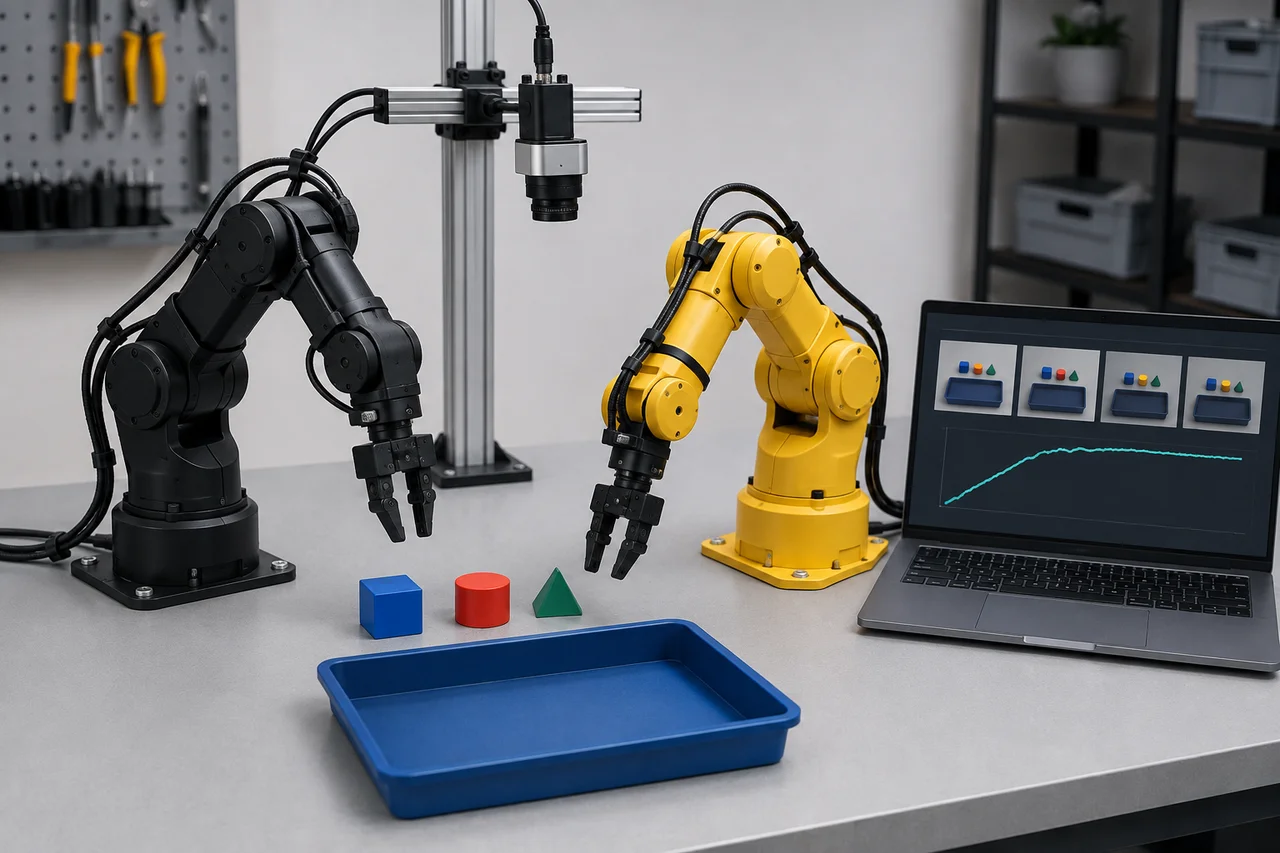
Choose camera positions by the task states they reveal, especially contact, occlusion and completion. Preserve those views across demonstrations and evaluation, and inspect the processed images received by the policy. This guide uses LeRobot v0.6.1 for camera identity and configuration; placement recommendations are task-design guidance.
Write the observation questions first
List what the policy must distinguish at each phase: object location before approach, gripper alignment before closure, whether the part moves with the gripper, and whether release finishes in the target. These are more useful design questions than asking which camera is best. A technically sharp image can be unhelpful when the decisive surface is hidden behind a finger.
For each question, identify a visible cue and the time interval when it matters. A tray transfer might use the object edge during approach and the empty gripper after release. Some conditions cannot be judged reliably from the proposed images at all. Record that limitation and consider a changed task presentation or an additional observation source rather than assuming training will discover invisible evidence.
参考资料: Camera documentation at LeRobot v0.6.1 · ACT policy documentation at LeRobot v0.6.1
Compare fixed and wrist views
A fixed camera can preserve a stable relationship between the robot, object supply and destination. A wrist view can expose local alignment as the tool approaches, but its perspective and background change with the arm. Neither position is universally better. Evaluate the candidate during the actual task phases, not only with the arm parked and the object neatly centred.
The original ALOHA research project documents both stationary and wrist-mounted observations. That shows one research arrangement, not a prescription to reproduce its camera count for every LeRobot task. Start with the smallest set of views that resolves your observation questions. Each added camera creates another identity, mount, stream and preprocessing path to keep consistent.
| View candidate | Useful evidence | Likely blind spot |
|---|---|---|
| Fixed overhead | Object layout and destination occupancy | Height and some contact details |
| Fixed oblique | Approach geometry and visible release | Arm blocking the target |
| Wrist-mounted | Local alignment near the tool | Global destination and moving background |
| Second complementary fixed view | Evidence hidden from the first camera | Added bandwidth and calibration work |
参考资料: Learning Fine-Grained Bimanual Manipulation with Low-Cost Hardware: project · Camera documentation at LeRobot v0.6.1
Review occlusion through the whole task
Use recorded pilot sequences or a competent person's approved positioning review to inspect every critical interval. Draw or describe the target region in each frame and note what hides it: arm links, fingers, the carried object, a fixture wall or the operator. An empty-scene photograph cannot establish visibility during grasp closure, when the geometry changes most.
Include awkward but intended starts. A view that works for an object in the centre of the tray may fail near its rear wall or when the object is rotated. Record whether the second camera supplies different evidence at those moments or simply repeats the same occlusion. Keep mounts and cables outside reviewed motion and handling areas; adding a viewpoint should not create an unassessed physical interference.
参考资料: Camera documentation at LeRobot v0.6.1 · Maintenance of work equipment
Verify device-to-feature identity
In LeRobot v0.6.1, the documented discovery command is lerobot-find-cameras opencv for OpenCV devices; the camera guide also documents a RealSense discovery option. Device identifiers can change after a reboot or reconnection depending on the operating system. Discovering camera zero does not prove that it remains the front view used by an earlier dataset.
Maintain a mapping from physical camera label to device identifier, configured logical name and example frame. Verify that mapping at session start using a distinctive scene feature or controlled marker placement while the station is in its approved state. A logical name such as wrist should describe a stable role. Swapping streams while preserving their names can leave all tensor dimensions valid while changing the meaning of the policy's input.
参考资料: Camera documentation at LeRobot v0.6.1 · Imitation learning tutorial at LeRobot v0.6.1
Check image quality at policy resolution
Inspect the image after the selected resizing and cropping operations. A small edge that is clear in the full-resolution recording may disappear in the model input. A crop can remove the target near the edge of the useful workspace. Keep a reference frame for each critical pose at both the recorded and processed resolutions so a future configuration change can be assessed.
Review blur, reflections, shadows and exposure changes during movement. OpenCV's documentation explains that video capture behaviour depends on the selected backend and underlying device stack, so a requested setting should not be assumed to be the setting actually delivered. Check the resulting stream and task visibility. Avoid naming a universal resolution or exposure value; those choices depend on object size, motion and available light.
参考资料: OpenCV 4.13.0 Video I/O overview · ACT configuration at LeRobot v0.6.1 · Diffusion configuration at LeRobot v0.6.1
Separate view quality from frame freshness
A useful viewpoint still fails as an observation if it repeatedly supplies an old frame when the scene changes. The tagged camera documentation distinguishes blocking reads, asynchronous reads and access to the latest available frame. The SO follower implementation uses latest-frame access. Therefore, a nominal recording frequency does not by itself establish that every observation contains a newly captured image.
Measure the relevant observation path during a pilot, including capture behaviour and decoding or processing delays where available. Check whether repeated images correspond to a static scene or a stalled stream. When adding a second camera, repeat the review with both active because resource contention can change behaviour. Keep timing evidence separate from placement evidence: moving a camera will not repair a stale buffer.
参考资料: Camera documentation at LeRobot v0.6.1 · SO follower calibration implementation at LeRobot v0.6.1
Work a view-selection example
Imagine a hypothetical task that transfers a small block into a recessed tray. An overhead candidate shows the block and tray well before approach, but the gripper covers the block during closure. An oblique candidate sees whether the block rises with the fingers, yet loses the far tray corner. A wrist candidate shows local alignment but does not keep the full destination visible.
The next useful trial pairs overhead and oblique views and checks whether their combined observations cover the intended starts, especially the far corner. If both lose the release event, changing tray orientation or the fixed mount may be more useful than immediately adding a wrist camera. These are design hypotheses, not measured rankings. Retain representative frames and failure intervals to explain the choice to the person training the policy.
参考资料: Camera documentation at LeRobot v0.6.1 · Learning Fine-Grained Bimanual Manipulation with Low-Cost Hardware: project
Preserve the accepted observation setup
Document mounting points, view direction, approximate scene coverage, logical names, stream settings and preprocessing. Add reference photographs or diagrams to the local experiment record when permitted, and include a visible scene reference that helps detect a bumped mount. A replacement camera with the same nominal resolution still needs a view comparison because lens and field of view can differ.
Before evaluation, compare the live or simulated policy inputs with the accepted recording references. Treat deliberate camera changes as experimental changes and uncontrolled movement as a setup discrepancy. When a view must change, decide whether the existing dataset remains representative or requires new collection. Stable observations make a policy comparison interpretable; a new camera perspective mixed into the final test can otherwise masquerade as an algorithm failure.
参考资料: Camera documentation at LeRobot v0.6.1 · Policy configuration at LeRobot v0.6.1
检查清单
- List visible cues for approach, grasp, transfer and release.
- Review candidate views throughout the intended task range.
- Choose complementary views and document remaining occlusions.
- Verify physical camera labels against logical feature names.
- Inspect resized and cropped policy inputs.
- Check frame freshness with all selected cameras active.
- Have mounts and cables reviewed for physical interference.
- Preserve reference views and compare them before evaluation.
常见问题
Should my first LeRobot setup always have a wrist camera?
No. Add one when its view resolves a specific observation gap that the fixed cameras cannot. It also introduces moving perspective and mounting work. Evaluate its contribution at the moments that matter for the task.
参考资料: Camera documentation at LeRobot v0.6.1 · Learning Fine-Grained Bimanual Manipulation with Low-Cost Hardware: project
Does higher resolution automatically improve learning?
No. The policy may resize or crop the stream, and the important cue may remain occluded. Compare the actual processed images and the additional data cost before increasing resolution.
参考资料: ACT configuration at LeRobot v0.6.1 · Diffusion configuration at LeRobot v0.6.1
Can I move a camera between collection and evaluation?
A deliberate move creates a changed observation condition. Record it, compare the resulting inputs, and assess whether the policy was trained for that variation. An unnoticed move weakens the interpretation of the evaluation.
参考资料: Camera documentation at LeRobot v0.6.1 · Policy configuration at LeRobot v0.6.1
来源与审核
Documentary camera guidance using LeRobot v0.6.1 and OpenCV 4.13.0 documentation, checked 6 September 2026. Placement examples are hypothetical; no camera, lighting arrangement or policy improvement was tested.
适合读者:Robot-learning builders designing manipulation observations. 更新于 .
- Camera documentation at LeRobot v0.6.1
- ACT policy documentation at LeRobot v0.6.1
- Learning Fine-Grained Bimanual Manipulation with Low-Cost Hardware: project
- Maintenance of work equipment
- Imitation learning tutorial at LeRobot v0.6.1
- OpenCV 4.13.0 Video I/O overview
- ACT configuration at LeRobot v0.6.1
- Diffusion configuration at LeRobot v0.6.1
- SO follower calibration implementation at LeRobot v0.6.1
- Policy configuration at LeRobot v0.6.1