In brief
Evaluate a used FAIRINO robot as an identified equipment package with traceable history, demonstrable condition and transferable authorised access. Make unresolved damage, missing components and unsupported configurations explicit before paying a deposit, and budget qualified recommissioning for the new application.
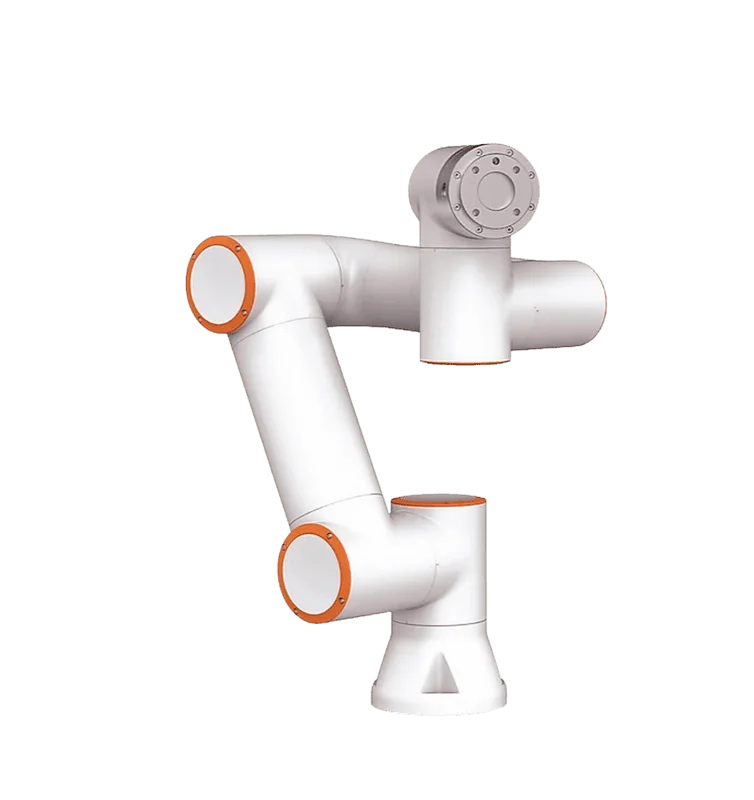
Establish identity and the complete sale scope
Request clear photographs of the arm and controller identifiers, the teaching device and every included cable and accessory. Ask the seller for an itemised inventory and evidence of its authority to sell the equipment. Record whether it is an operating cell, a matched robot package or an arm separated from other equipment. Those descriptions imply very different amounts of work before the buyer can evaluate a new application.
FAIRINO's System documentation says the About interface displays model, serial and version information. Have an authorised seller show the relevant identifiers during a live inspection and reconcile them with the photographs and inventory. A discrepancy needs an explanation before proceeding. Do not infer that a replacement controller is compatible because it powers up, or accept a generic model photograph as evidence for the condition of the specific unit being offered.
References: User Manual 3.8.3: System, equipment identity, logs and access configuration
Reconstruct the service history
Ask what work the robot performed, what tooling it carried, how it was mounted and why it was removed. Request maintenance records, repair invoices and records of significant collisions, overload events or environmental exposure. Keep the seller's statements alongside supporting documents, with unresolved gaps visible. A low-use claim without a clear definition and evidence should remain a claim, rather than becoming an assumed measure of condition in your purchasing comparison.
FAIRINO's Installation chapter includes visual and functional inspection plans and identifies checks associated with severe collisions. Ask a qualified inspector to compare the available history with the applicable maintenance requirements. The buyer should seek a condition assessment and evidence of completed corrective work, not perform an improvised mechanical examination. Missing history may justify more inspection or a different purchase condition; it does not establish that a robot is either damaged or healthy on its own.
References: User Manual 3.8.3: Installation, maintenance inspection and transportation
Commission a controlled physical inspection
Ask the inspector to provide a photographed condition report covering the arm exterior, accessible connections, mounting interfaces, controller enclosure and supplied teaching equipment. Record damage, missing parts, unexplained modifications and any area that could not be inspected. Preserve the as-found condition before repair or cleaning obscures useful evidence. Let the inspector choose the appropriate isolation and inspection procedure from the documentation for the exact equipment.
Do not loosen joints, open an energised enclosure or move an unsupported arm to judge whether it feels normal. This is a purchasing review, not a repair tutorial. For each finding, request a disposition: cosmetic observation, service action, further diagnosis or reason to stop the evaluation. Ask for an estimate and the supplier responsible for the work when a repair is proposed. A polished exterior is weak evidence if the functional condition remains unestablished.
References: User Manual 3.8.3: Installation, maintenance inspection and transportation · User Manual 3.8.3: Foreword and installation safety assessment
Witness a relevant functional demonstration
Arrange a demonstration by qualified personnel on a suitable mounted and controlled setup. Identify the tested program, tool and load, and specify the functions relevant to your purchase. Ask the specialist to include normal startup, the proposed representative motion and the required peripheral interaction. Record any restrictions on what could be shown. A video of an unloaded arm moving in open space establishes less than a witnessed test of the equipment package you intend to buy.
If positional performance matters, agree a suitable measurement method and acceptance criterion with the inspector before testing. Do not use a visual impression of smoothness as a substitute for metrology, or interpret a single successful placement as a health certificate. FAIRINO's SDK Basics chapter provides version queries that can anchor the test record to the installed software and hardware. Retain that baseline with the observations so that subsequent changes do not obscure what was evaluated.
References: C++ SDK: Basics and equipment version queries · User Manual 3.8.3: Foreword and installation safety assessment
Interpret logs with their limitations
Ask the authorised seller to preserve available logs before resetting or reconfiguring the machine. FAIRINO's Status chapter documents system-log filtering; the System chapter documents log management and factory recovery that can clear user data. Establish the period the available records cover and whether settings, servicing or reset activity limit their usefulness. An empty recent log is not proof that the robot has never experienced a collision or fault.
Have the inspector relate relevant alarms to the official fault reference and the seller's repair history. Look for a complete explanation: what was observed, how it was diagnosed, what changed and what evidence supports closure. A recurring error followed by repeated resets deserves a different purchasing response from a documented repair with a relevant successful retest. Do not assign remaining service life or a reliability percentage from log contents alone; the available evidence does not support that precision.
References: User Manual 3.8.3: Status and system logs · User Manual 3.8.3: System, equipment identity, logs and access configuration · User Manual 3.8.3: Appendix, faults and spare-part reference
Price the work needed to close evidence gaps
Compare the used offer with a complete alternative using supplier quotations for inspection, repairs, missing equipment, transport, software work and recommissioning. Include the cost of discovering that a critical component cannot be supplied in the required time. Ask the proposed support provider to confirm serviceability against the specific identifiers and condition report. The manufacturer's appendix is a useful fault and spare-part reference, but it is not evidence of current stock, price or support entitlement.
Hypothetical decision: an arm-only offer needs a controller, matched cables and specialist setup, while another package has a witnessed demonstration and complete access records. Compare the estimated route to an accepted installation, not just the advertised equipment amount. Where a repair is still undiagnosed, mark its cost and completion date as unknown. A low purchase figure cannot compensate for uncertainty that prevents the buyer from planning when the equipment could become usable.
| Finding | Purchasing response |
|---|---|
| Identity discrepancy | Resolve with the seller before commitment |
| Missing interface equipment | Obtain a compatible supply quotation |
| Unresolved recurring fault | Require diagnosis and relevant retest |
| Restricted project access | Obtain authorised resolution or revise scope |
| Incomplete history | Commission an appropriately scoped condition review |
References: User Manual 3.8.3: Appendix, faults and spare-part reference · C++ SDK: Basics and equipment version queries
Agree collection and recommissioning evidence
Before collection, reconcile the inventory with the inspected package and record its condition. Have qualified personnel arrange preparation and transport using the applicable manufacturer guidance and suitable handling equipment. Agree who supplies packaging, who checks the equipment at arrival and how any difference from the inspected condition will be documented. Retain the inspection evidence and configuration records before the seller performs any agreed data removal or preparation for shipment.
Plan a fresh assessment for the new installation and application. FAIRINO's Foreword calls for a safety assessment after installation; the used unit's previous operation is not evidence that a different cell is ready to run. Close the buying decision with named remaining work, responsible parties and acceptance conditions. The defensible outcome is a purchase with understood condition and a credible route to recommissioning, or a decision to stop because the seller cannot resolve material uncertainty.
References: User Manual 3.8.3: Installation, maintenance inspection and transportation · User Manual 3.8.3: Foreword and installation safety assessment
Checklist
- Reconcile physical identifiers, live system identity and sale inventory.
- Request service, repair and prior-application records.
- Use a qualified inspector for physical and functional assessment.
- Preserve available logs and document their coverage limits.
- Verify authorised access and recovery material.
- Obtain quotations for missing items and unresolved work.
- Record condition and inventory before collection.
- Plan qualified recommissioning and application acceptance.
Common questions
Is an arm without its original controller automatically unusable?
No such conclusion follows from the sale description alone. Ask FAIRINO or a qualified support provider to confirm a compatible, supportable package against the actual identifiers and quote the work needed before treating it as a viable purchase.
References: C++ SDK: Basics and equipment version queries · User Manual 3.8.3: Appendix, faults and spare-part reference
Can clean logs prove the seller's no-collision claim?
No. Determine what period the records cover and whether retention, resets or servicing limit them. Combine available records with the seller's history and a qualified condition assessment.
References: User Manual 3.8.3: Status and system logs · User Manual 3.8.3: System, equipment identity, logs and access configuration · User Manual 3.8.3: Installation, maintenance inspection and transportation
Should the robot be factory-reset before inspection?
Preserve the authorised evidence needed for inspection first. Agree any later reset or data removal with the seller and integrator because it may remove useful records and does not establish mechanical condition.
References: User Manual 3.8.3: System, equipment identity, logs and access configuration · User Manual 3.8.3: Application and backup import verification
Sources & review
Documentary used-equipment buying framework prepared for 5 September 2026, not an inspection of any offered robot. No seller, operating hours, condition, price, service life or warranty entitlement has been independently established. Official documentation supports the checks; qualified inspection and recommissioning remain application-specific.
Audience:Used-equipment buyers. Updated .
- User Manual 3.8.3: System, equipment identity, logs and access configuration
- User Manual 3.8.3: Installation, maintenance inspection and transportation
- User Manual 3.8.3: Foreword and installation safety assessment
- C++ SDK: Basics and equipment version queries
- User Manual 3.8.3: Status and system logs
- User Manual 3.8.3: Appendix, faults and spare-part reference
- User Manual 3.8.3: Application and backup import verification