In brief
A Fairino welding package should identify the complete welding system, the supported communication path and the work needed to deliver acceptable joints. Require an itemised scope, representative weld evidence and named responsibility for fixtures, process qualification, extraction and safeguarding. A welding menu or arm-and-torch photograph does not establish those deliverables.
Define the joint before comparing packages
Describe the proposed production welds using drawings, material grades, thicknesses, joint preparation, access constraints and permitted part variation. State who approves weld quality and which inspection or qualification requirements apply to the product. These inputs let a welding specialist judge process suitability and give suppliers a common basis for their proposals. A package demonstrated on a clean, accessible seam may answer little about an obstructed joint in your fixture.
Separate the robot's delivery boundary from the finished welding station. FAIRINO's user-manual foreword describes a robot, button box and control box in the standard package; it does not establish the contents of a reseller's welding offer. Ask for a schedule naming the arm variant, controller, welding equipment and integration services. Mark equipment already owned by the buyer explicitly, with its condition and compatibility still subject to review.
References: FAIRINO User Manual 3.9.9: Foreword and integrator scope
Trace the complete power-source interface
The live English Peripherals chapter, identified as manual 3.9.9 when checked, describes controller I/O and a UDP communication arrangement. In the latter example, the robot communicates with a PLC that controls the welder. This is a reason to request a connection diagram, not to assume that any Ethernet-equipped power source connects directly or that a PLC is included.
Require the exact power-source model, firmware, robot interface option, intermediate equipment and cable set in the quotation. Have the integrator identify what is commanded and what is independently acknowledged: readiness, arc establishment, process selection and faults all deserve explicit treatment. Ask how the displayed welding settings correspond to the values actually used by the source. A successful start signal alone leaves substantial uncertainty about monitoring and recovery. Assign one supplier responsibility for demonstrating the complete exchange.
References: FAIRINO User Manual 3.9.9: Peripherals, welding-machine interfaces and recovery
Itemise the equipment around the arm
Use the following scope table during quotation review. It is an editorial purchasing worksheet, not a list of standard Fairino inclusions. For each row, record the proposed component, supplier, installation owner and acceptance evidence. An item described as customer supply should have a named buyer owner and a readiness date; otherwise it can become an unexplained commissioning delay.
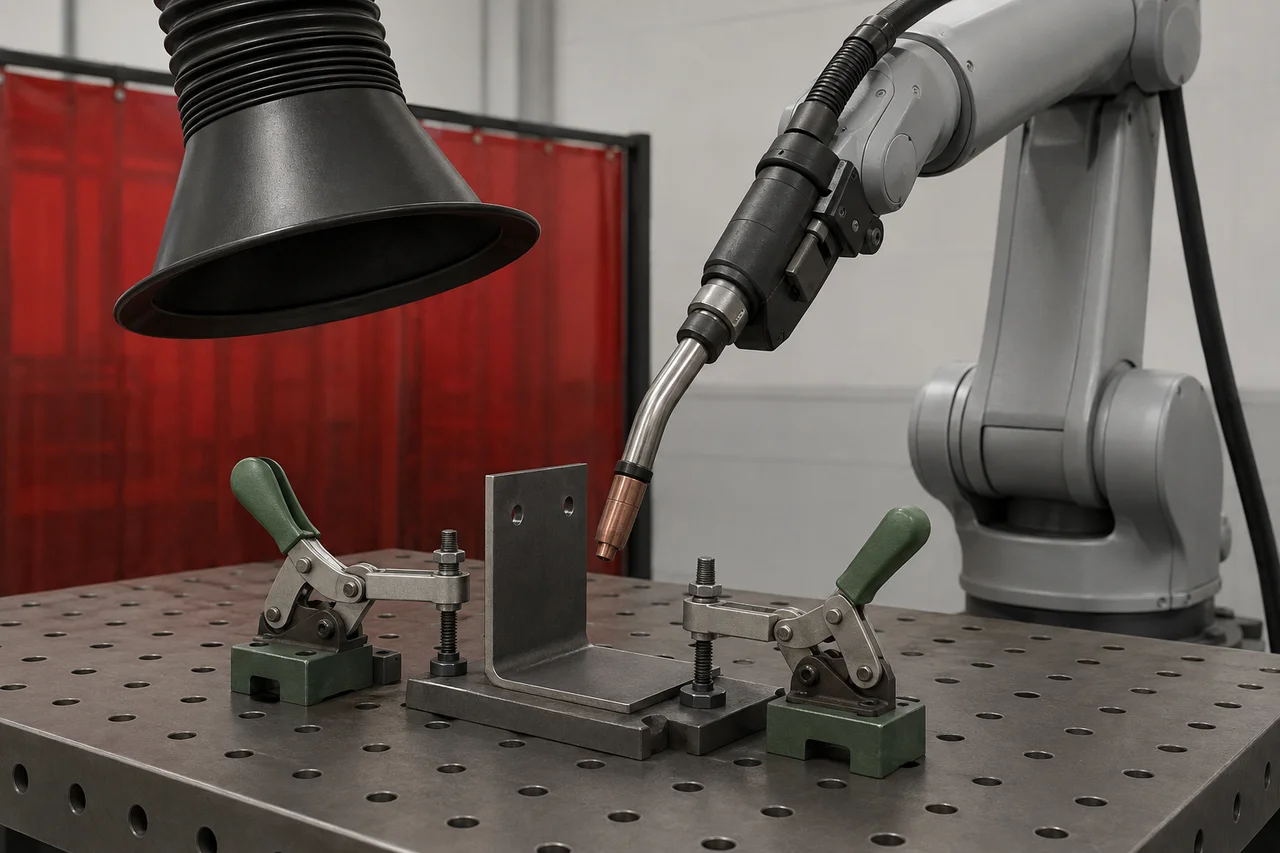
Examine the torch assembly as a serviceable system. Ask how the mount, cable routing, cooling arrangement where needed, consumables and cleaning access suit the intended poses. Include the cost of replacing wear items and restoring the established torch geometry after intervention. The supplier should review the complete mounted assembly and services against the selected robot's applicable limits rather than approve it from the torch's catalogue mass alone.
| Package boundary | Evidence to request |
|---|---|
| Welding source and feeder | Exact models, interface options and supported process |
| Torch and mounting | Assembly drawing, service routing and replacement method |
| Fixture or positioner | Part location, clamp sequence and access review |
| Process protection | Extraction and safeguarding scope with competent owners |
| Software and handover | Version baseline, editable jobs and operator training |
References: FAIRINO User Manual 3.9.9: Peripherals, welding-machine interfaces and recovery · FAIRINO User Manual 3.9.9: Foreword and integrator scope
Verify the combination of seam functions
Ask suppliers to distinguish following a taught path, finding a displaced joint, tracking during welding and making multiple passes. Those are different requirements. Identify the sensor, software function and supporting hardware proposed for each one, and request evidence on the same joint geometry. A list containing laser, weaving and positioner does not demonstrate that the intended combination is supported.
The 3.9.9 Process Package chapter lists straight, arc and multi-pass workflows. Its straight-welding wizard describes exclusions between weaving and certain extended-axis or sensor-tracking choices. Separately, the 3.9.9 release notes announce weaving support for laser scanning replay. These statements concern different workflows; do not turn either into a universal compatibility rule. Ask the supplier to identify the exact program route, controller baseline and demonstrated combination in the offer, including any restrictions when switching to another part.
References: FAIRINO User Manual 3.9.9: Process Package and Welding Expert Library · FAIRINO version introduction: V3.9.9 dated 1 September 2026
Use a joint family to expose the missing work
Hypothetical example: a shop wants one station for two bracket variants. Variant A has an exposed straight fillet; variant B places a return seam close to a clamp. A useful trial includes both variants, the intended clamp concept and samples representing the agreed fit-up range. Ask the welding specialist to specify the preparation and inspection method before testing, so a visually tidy sample does not become the only acceptance criterion.
Suppose A passes but B requires unclamping and manual repositioning. Record that intervention and decide whether a revised fixture, different torch access or an additional operation belongs in the offer. Measure changeover and acceptable finished assemblies as well as arc time. This example provides no predicted production rate or weld settings. Its purpose is to uncover which part of the proposed package must change before the supplier can support the shop's actual workload.
References: FAIRINO User Manual 3.9.9: Process Package and Welding Expert Library
Assign extraction and process safeguards
Robot automation does not remove welding fume. HSE identifies fume controls including reducing generation, local exhaust ventilation and respiratory protection where appropriate. Have a competent occupational-hygiene or extraction specialist specify and verify the controls for the actual process, materials and loading arrangement. Include commissioning evidence and the arrangements for keeping those controls effective in the project scope.
A qualified cell integrator should also address arc radiation, hot parts, spatter, electrical hazards, fire exposure and movement around fixtures or positioners. Give that person the operator's loading, inspection and cleaning tasks, not just the automatic sequence. Ask who supplies screens, interlocks and any required protective equipment, and who validates the completed installation. A collaborative arm designation does not answer these process questions or establish that people may remain beside an active weld.
References: Welding fume: protect your workers · FAIRINO User Manual 3.9.9: Foreword and integrator scope
Specify what happens to an interrupted weld
FAIRINO documents welding interruption and recovery functions, but the buyer still needs a product-specific decision about the unfinished joint. Ask the welding specialist to define when continuation is acceptable, when inspection is required and when the assembly must be rejected or reworked. The controller's ability to resume movement is separate from approval of the resulting weld.
Have the integrator plan controlled demonstrations for selected conditions such as an unavailable power source or lost process feedback. Specify who may diagnose the event, what information is retained and how the part's status reaches the operator. Do not create live electrical or process faults casually for a sales demonstration. Require the documented recovery procedure to cover the welder and fixture as well as the robot, with restart permission established by the assessed cell design.
References: FAIRINO User Manual 3.9.9: Peripherals, welding-machine interfaces and recovery · FAIRINO User Manual 3.9.9: Foreword and integrator scope
Close the offer with a usable handover
Request separate quoted amounts for equipment, integration, welding development, fixtures, training, installation and optional support. Use supplier figures rather than assumed package prices. Ask what additional work is chargeable if the approved sample range changes, and who supports the interface when the welder and robot come from different businesses. This makes exclusions visible without pretending that a single advertised price represents the installed application.
The handover should connect each accepted part family to its drawing revision, fixture, approved process record and editable robot job. Ask a trained buyer representative to demonstrate routine selection and escalation tasks under supervision. Preserve the tested hardware and software baseline with outstanding actions. An order is ready for review when the remaining work has owners and acceptance conditions, including any performance claim that the representative trials have yet to substantiate.
Checklist
- Define joint drawings, material variation and the weld-quality approval owner.
- Identify the power source, robot interface, intermediate devices and cables.
- Account for the torch assembly, fixtures, services and wear-item access.
- Demonstrate the required seam functions together on the quoted baseline.
- Assign extraction, safeguarding and completed-cell validation to competent people.
- Agree interrupted-weld disposition and supervised recovery demonstrations.
- Obtain itemised exclusions, accepted job files and support responsibilities.
Common questions
Can I reuse the welding source already in my workshop?
Possibly. Give the integrator its exact model, firmware and installed interface options, then request a supported connection design and a demonstration of the required commands and feedback. Physical connectivity alone does not confirm controllability or application suitability.
References: FAIRINO User Manual 3.9.9: Peripherals, welding-machine interfaces and recovery
Does a welding software package remove the need for process expertise?
No. Program-generation tools help describe robot operations. A competent welding specialist must still determine the appropriate process, evaluate representative joints and define inspection and recovery decisions for your product.
References: FAIRINO User Manual 3.9.9: Process Package and Welding Expert Library
Sources & review
Documentary buying guidance checked on 6 September 2026, using live English documentation labelled 3.9.9. Features require confirmation for the offered system. No equipment was tested; the bracket example is hypothetical. Welding process and cell safety require competent assessment.
Audience:Fabrication shops comparing Fairino welding proposals. Updated .
- FAIRINO User Manual 3.9.9: Foreword and integrator scope
- FAIRINO User Manual 3.9.9: Peripherals, welding-machine interfaces and recovery
- FAIRINO User Manual 3.9.9: Process Package and Welding Expert Library
- FAIRINO version introduction: V3.9.9 dated 1 September 2026
- Welding fume: protect your workers